












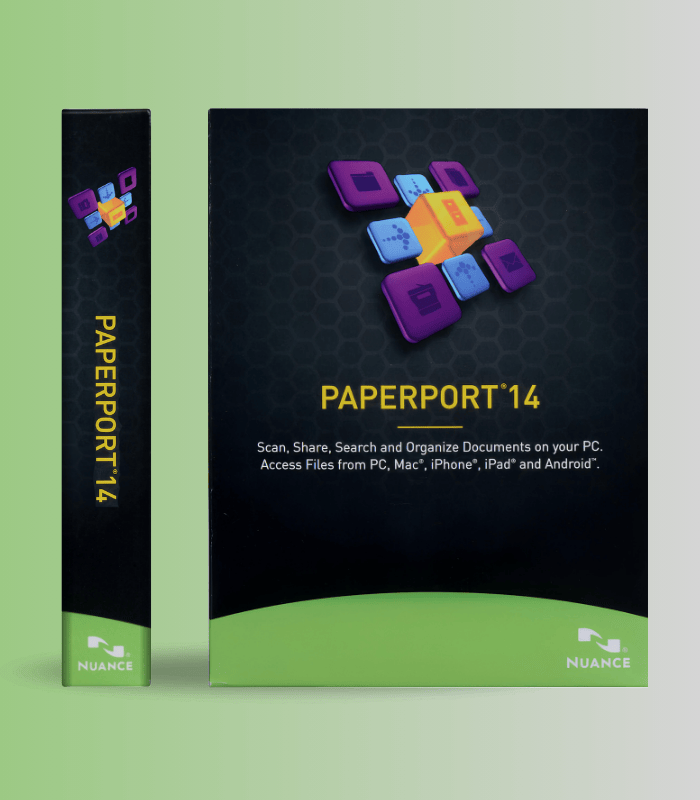
Get Nuance PaperPort Professional 14.5 for PC with a lifetime license for 1 device. Easily scan, organize, and manage documents with advanced PDF and workflow tools. Global digital delivery ensures instant and secure activation.

Get Nuance PaperPort Professional 14.5 for PC with a lifetime license for 1 device. Easily scan, organize, and manage documents with advanced PDF and workflow tools. Global digital delivery ensures instant and secure activation.
$17.00

Instant online access after purchase. No shipping required.

Available online anytime to assist you.
100% authentic and original license keys.
Payment Methods:

Nuance PaperPort Professional 14.5 (PC) – 1 Device, Lifetime License – Global Key is the world’s most popular document management solution for eliminating paper clutter and organizing digital files. Combining powerful OCR scanning, intuitive folder organization, professional PDF creation and editing, and seamless cloud integration, PaperPort Professional transforms how you capture, manage, and share documents. Trusted by millions of professionals worldwide including lawyers, insurance agents, healthcare providers, and business users, this lifetime license delivers permanent access to comprehensive document workflow tools without recurring fees.
| Feature | What it does | Perfect for |
|---|---|---|
| Advanced OCR Scanning | Industry-leading optical character recognition converts scanned documents into searchable, editable text with exceptional accuracy, supporting TWAIN, WIA, and ISIS scanner drivers for universal scanner compatibility | Digitizing paper archives, making scanned documents searchable, converting receipts and invoices |
| Visual Document Desktop | Unique thumbnail-based interface displays documents as visual previews rather than file names, with drag-and-drop organization into customizable folders, tags, and categories for instant recognition | Quick document retrieval, visual filing systems, organizing mixed file types |
| PDF Creation & Editing Suite | Create industry-standard PDFs from any application with super-compression technology delivering files up to 8x smaller than alternatives, plus annotation, highlighting, commenting, password protection, and digital signatures | Professional reports, secure document sharing, form creation and completion |
| FormTyper Technology | Automatically converts scanned paper forms into fillable electronic forms with checkbox recognition and transparent digital stamps for signatures, eliminating manual data entry and enabling efficient form processing | Processing contracts, filling insurance forms, handling government paperwork |
| Cloud & Network Integration | Access and sync documents across Google Drive, Microsoft OneDrive, Dropbox, Evernote, and Box through unified Cloud Connector, plus Microsoft SharePoint integration for enterprise document collaboration and network folder management | Remote work, team collaboration, multi-device access, backup workflows |
| MFP Desktop Delivery | Route scanned documents directly from networked multifunction printers and digital copiers to any desktop PC, eliminating manual file transfers and centralizing document capture across office equipment | Office environments, centralized scanning, document routing workflows |
PaperPort Professional 14.5 is the complete document management ecosystem that bridges the gap between paper and digital. From the moment a document enters your workflow to final archiving or sharing, PaperPort handles everything in one intuitive application.
| 💻 Platform | Windows PC only (not Mac compatible) |
| 🖥️ OS Requirements | Windows 7 (32/64-bit), Windows 8/8.1, Windows 10, Windows 11 |
| ⚡ CPU Requirements | 1 GHz Intel Pentium or equivalent processor (multi-core recommended for advanced performance) |
| 💾 RAM | 2 GB minimum (4 GB+ recommended for optimal performance) |
| 📀 Storage | 1 GB free disk space for installation | Additional space for document storage |
| 📊 File Format Support | View and manage 150+ formats including PDF, DOC, XLS, PPT, JPG, TIFF, PNG, MAX |
| 🖨️ Scanner Compatibility | TWAIN, WIA, and ISIS driver support – works with any scanner, all-in-one printer, or MFP |
| 📝 Microsoft Office Support | Office XP, 2003, 2007, 2010, 2013, 2016, 2019, 365 (Send To Bar integration) |
| ☁️ Cloud Services | Google Drive, Microsoft OneDrive, Dropbox, Box, Evernote via Nuance Cloud Connector |
| 🔗 Network Features | Microsoft SharePoint 2003/2007/2010 integration | Network folder sharing |
| 🔧 Activation Method | Serial number activation via internet (automatic or manual) | Offline use after activation |
| 📱 Device License | Single device license (1 PC) | Transferable between computers |
| 🌍 Regional Availability | Global key – works worldwide with no regional restrictions |
✅ Instant Digital Delivery – serial number and download link sent immediately via email
✅ PaperPort Professional 14.5 – complete document management suite
✅ Visual Document Desktop – thumbnail-based organization with drag-and-drop simplicity
✅ OCR Engine – industry-leading text recognition for searchable, editable documents
✅ PDF Creation & Editing – create, annotate, secure, and compress professional PDFs
✅ FormTyper – convert paper forms into fillable electronic documents
✅ Cloud Connector – unified access to Google Drive, OneDrive, Dropbox, Evernote, Box
✅ Microsoft Office Integration – Send To Bar for Word, Excel, PowerPoint, Outlook
✅ Scanner Setup Wizard – easy configuration for any TWAIN, WIA, or ISIS scanner
✅ Lifetime License – permanent ownership, no subscription fees
✅ Global Key – works anywhere in the world
After installing PaperPort Professional 14.5, immediately create a logical folder structure that mirrors your real-world workflow – for example, folders for Clients, Projects, Financial, Personal, and Archive. Use the Folder Manager to add existing network folders and external drives to the PaperPort desktop, giving you centralized access to documents across your entire system. Enable All-in-One Search automatic indexing so every new document becomes instantly searchable. Set up scanning profiles for different document types (receipts at 300 DPI black-and-white, photos at 600 DPI color) to streamline repetitive scanning tasks. Finally, configure the Send To Bar with your most-used cloud services and Microsoft Office applications – this turns PaperPort into a universal document hub where everything is one drag-and-drop away.
This is a perpetual lifetime license – you own PaperPort Professional 14.5 forever with no recurring fees. Once activated, you can use it indefinitely on your licensed device.
Yes! PaperPort supports any scanner that uses TWAIN, WIA (Windows Image Acquisition), or ISIS drivers, which covers virtually all desktop scanners, all-in-one printers, and multifunction devices. The included Scanner Setup Wizard makes configuration easy, even for multiple scanners.
Yes, PaperPort Professional 14.5 (especially with Patch 1 installed) is fully compatible with Windows 11, as well as Windows 10, 8/8.1, and 7. For best results on Windows 10/11, ensure you have the latest version with all patches applied.
PaperPort Professional includes advanced features not available in Standard: MFP Desktop Delivery for routing scans from network copiers, Microsoft SharePoint integration, network folder management, unlimited scanning profiles, advanced PDF security and digital signatures, and enhanced cloud connectivity. Professional is designed for business users and professionals who need comprehensive document workflow capabilities.
The license is for one device, but through the Cloud Connector feature, you can sync your PaperPort folders to cloud services like Google Drive, OneDrive, or Dropbox, then access those documents from any device with internet access. This makes PaperPort your central document hub while giving you multi-device accessibility.
No, PaperPort Professional 14.5 is Windows-only software and is not compatible with macOS. It requires a Windows PC running Windows 7 or newer.
You’ll receive a serial number via email after purchase. During PaperPort installation or upon first launch, you’ll be prompted to enter this serial number. Choose automatic activation (recommended) if you have internet access – your license activates instantly with no personal information transmitted. Manual activation is also available if needed. Once activated, you can use PaperPort offline.
Nuance PaperPort Professional 14.5 is the proven solution for anyone drowning in paper or struggling to organize digital files across multiple formats and locations. With over 20 years of development and millions of users worldwide, PaperPort has refined document management into an intuitive visual experience that actually makes sense. Whether you’re a legal professional managing case files, a healthcare provider handling patient records, a real estate agent juggling property documents, or a home user finally ready to eliminate filing cabinets, this lifetime license gives you permanent access to professional-grade scanning, organization, PDF creation, cloud integration, and collaboration tools. One purchase, one device, infinite documents – all organized, searchable, and accessible exactly when you need them.
 Optimized by Seraphinite Accelerator
Reviews
Clear filtersThere are no reviews yet.