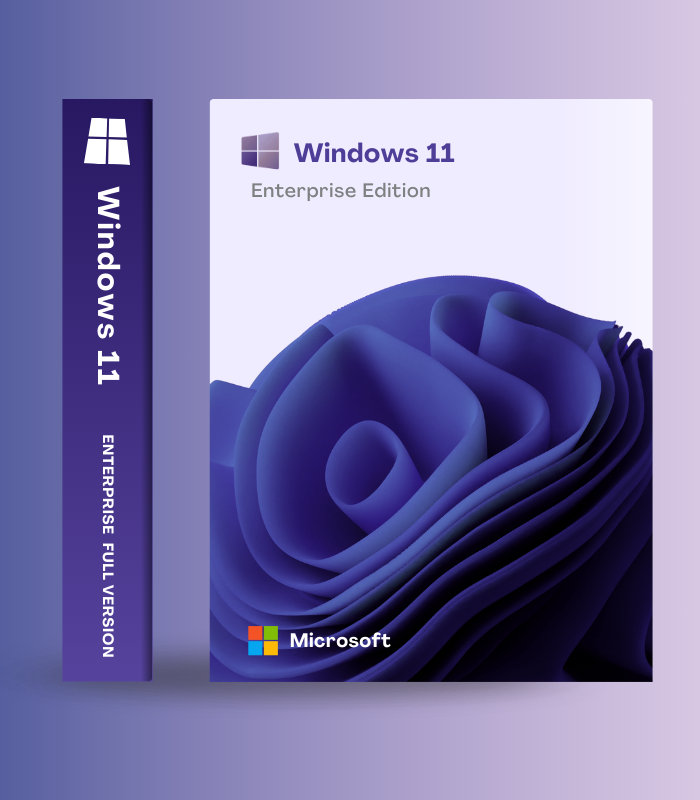
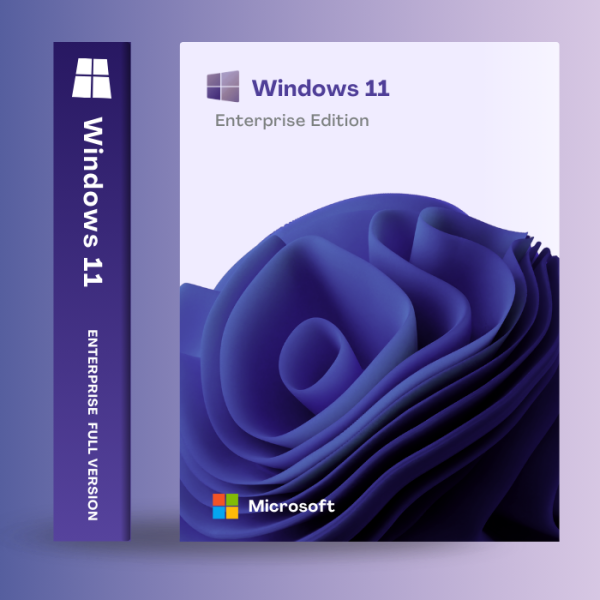
Windows 11 Enterprise – Digital License Key | Lifetime Activation is Microsoft’s most robust and secure operating system designed specifically for medium to large organizations requiring maximum security, comprehensive management capabilities, and advanced deployment tools. Building on Windows 11’s modern AI-powered interface with Copilot integration, Enterprise edition adds exclusive features unavailable in Pro including Azure Virtual Desktop support, Microsoft Defender for Endpoint, Credential Guard hardware-based credential protection, Application Guard browser isolation, DirectAccess always-on VPN, and 36-month support lifecycle (50% longer than Home/Pro editions). With Windows Autopilot for zero-touch deployment, Microsoft Intune enterprise management, Windows Update for Business, and unified threat protection across email, identity, and endpoints, Windows 11 Enterprise delivers the security posture, scalability, and control demanded by organizations protecting sensitive data, managing hundreds of devices, and maintaining regulatory compliance in healthcare, finance, government, and enterprise environments.
🏢 What’s Inside
| Feature | What it does | Perfect for |
| Azure Virtual Desktop (AVD) | Cloud-based desktop and application virtualization exclusive to Enterprise – spin up scalable, secure Windows environments in Azure without gateway servers, enabling persistent full-featured Windows experiences accessible from any device with unified management for Windows and Windows Server | Hybrid workforces, remote access, cloud infrastructure, VDI deployments |
| Microsoft Defender for Endpoint | Enterprise-exclusive unified endpoint security with holistic visibility across managed and unmanaged devices, real-time threat detection, automated response, behavioral analysis, and integration with Microsoft 365 Defender for coordinated protection across email, identity, and endpoints | Advanced threat protection, zero trust security, SOC operations |
| Credential Guard & Application Guard | Hardware-based virtualization isolates credentials from attackers using VBS technology, while Application Guard opens untrusted websites in isolated Hyper-V containers preventing browser-based attacks from compromising the system – protection Pro edition cannot provide | Preventing credential theft, isolating threats, zero trust browsing |
| DirectAccess & Always-On VPN | Enterprise-exclusive seamless connectivity keeps remote devices always connected to corporate networks without manual VPN login – IT maintains full visibility and management whenever devices are running, plus offline domain join provisions devices remotely without direct network connectivity | Remote workforce, seamless connectivity, eliminating VPN friction |
| Windows Autopilot & Microsoft Intune | Cloud-powered zero-touch deployment provisions new devices 25% faster than traditional imaging – Autopilot delivers out-of-box readiness while Microsoft Intune provides unified endpoint management for Windows, Android, iOS, and macOS from single cloud-based admin center | Device deployment, IT efficiency, managing diverse device fleets |
| 36-Month Support Lifecycle | Enterprise editions receive 36 months (3 years) of support per feature update versus 24 months for Home/Pro – provides 50% more time to test, validate, and deploy updates while maintaining security compliance, with Windows Update for Business controlling deployment timing and rollout waves | Stability, validation time, controlled updates, compliance |
Windows 11 Enterprise combines all Windows 11 Pro features (BitLocker, Remote Desktop, Hyper-V, domain joining) with exclusive enterprise capabilities unavailable in any other edition. From SMBs to Fortune 500, Enterprise delivers comprehensive security, scalability, and control.
🎯 Why Organizations Choose Windows 11 Enterprise
💡 Key Benefits
- Maximum security – Credential Guard, Application Guard, Defender for Endpoint exclusive to Enterprise
- Cloud infrastructure – Azure Virtual Desktop support unavailable in Pro editions
- 36-month support – 50% longer lifecycle for testing and validation
- Zero-touch deployment – Windows Autopilot provisions devices 25% faster
- Lifetime activation – genuine Microsoft license with all future updates
🎨 Best Use Cases
- Medium to large organizations managing 50+ devices
- Regulated industries requiring maximum security (healthcare, finance, government)
- Enterprises deploying Azure Virtual Desktop for hybrid work
- Organizations needing 36-month support lifecycle
- IT departments requiring Microsoft Intune unified endpoint management
✨ Highlight Feature: Enterprise-Exclusive Security & Cloud Infrastructure
What sets Windows 11 Enterprise apart is access to security and infrastructure capabilities that simply do not exist in Home or Pro editions. Azure Virtual Desktop transforms how organizations deliver Windows – instead of managing physical PCs, IT spins up full-featured Windows 11 environments in the cloud that users access from any device, with unified management eliminating the need for gateway servers. Microsoft Defender for Endpoint provides holistic visibility across all managed and unmanaged devices with behavioral threat analysis, automated incident response, and integration with Microsoft 365 Defender creating coordinated protection across email, identity, and endpoints – this unified security stack is Enterprise-exclusive. Credential Guard uses virtualization-based security to isolate domain credentials in hardware-protected containers preventing pass-the-hash attacks that compromise Pro editions, while Application Guard opens untrusted websites in isolated Hyper-V containers where browser exploits cannot escape to damage the host system. DirectAccess maintains always-on VPN connectivity so remote devices stay connected to corporate networks without manual login, giving IT continuous visibility and management. Windows Autopilot delivers zero-touch deployment provisioning devices 25% faster than imaging. Plus, Enterprise’s 36-month support lifecycle gives organizations 50% more time (3 years versus 2 years) to test and validate updates before deployment. These aren’t incremental improvements – they’re fundamental capabilities that enable secure cloud infrastructure, advanced threat protection, and enterprise-scale management impossible with Pro editions.
📋 Technical Specifications
| 💻 System Requirements | 1 GHz dual-core 64-bit processor | 4 GB RAM | 64 GB storage | UEFI firmware | TPM 2.0 | DirectX 12 compatible graphics |
| 🔒 Enterprise-Exclusive Features | Azure Virtual Desktop, Microsoft Defender for Endpoint, Credential Guard, Application Guard, DirectAccess, Windows Update for Business, Universal Print, Microsoft Endpoint Manager integration, Advanced Group Policy |
| 🛡️ All Pro Features Included | BitLocker encryption, Remote Desktop (host), Domain Join, Azure AD Join, Hyper-V, Group Policy, Windows Information Protection, Assigned Access, Windows Autopilot |
| 🤖 Windows 11 Core Features | Copilot AI, redesigned interface, Snap Layouts, Widgets, DirectStorage, Auto HDR, Microsoft Teams, Phone Link, 2025 updates |
| 📅 Support Lifecycle | 36 months (3 years) per feature update for Enterprise | 24 months for Home/Pro | Continuous security updates |
| 🔄 Update Control | Windows Update for Business (deployment groups, validation waves, peer-to-peer delivery, complete timing control) |
| ☁️ Cloud Management | Microsoft Intune, Endpoint Manager, Azure AD (Entra ID), Windows Autopilot, Universal Print |
| 🔐 Identity Protection | Windows Hello for Business, Credential Guard (VBS), multi-factor authentication, SmartCard support |
| 🔧 Activation | Digital license key | Genuine Microsoft activation | Lifetime ownership |
| 📱 Device License | Single device license | Typically deployed via volume licensing in organizations |
| 🌍 Language Support | Multilingual – download language packs for 100+ languages |
| 🌍 Regional Availability | Global digital key – works worldwide |
🚀 What You Get Right Now
✅ Instant Digital Delivery – genuine Windows 11 Enterprise license key sent immediately
✅ Azure Virtual Desktop – cloud-based Windows virtualization (Enterprise-exclusive)
✅ Microsoft Defender for Endpoint – unified endpoint security with holistic device visibility
✅ Credential Guard – hardware-based credential protection using VBS
✅ Application Guard – browser isolation in Hyper-V containers
✅ DirectAccess – always-on VPN, seamless remote connectivity
✅ Windows Autopilot – zero-touch deployment, 25% faster provisioning
✅ Microsoft Intune – unified endpoint management across platforms
✅ Windows Update for Business – complete control over update timing and deployment
✅ All Pro Features – BitLocker, Remote Desktop, Hyper-V, domain joining, Group Policy
✅ Modern Windows 11 – Copilot AI, redesigned interface, Snap Layouts, gaming enhancements
✅ 36-Month Support – 50% longer lifecycle than Home/Pro editions
✅ Universal Print – cloud-based printing without print servers
✅ Continuous Updates – monthly security patches and feature additions
✅ Lifetime Activation – genuine Microsoft license, permanent ownership
✅ Global License – works anywhere in the world
💡 Pro Tip
Organizations deploying Windows 11 Enterprise should leverage Windows Autopilot for zero-touch provisioning – register device IDs with Microsoft, configure deployment profiles in Intune, and new devices automatically join Azure AD and apply policies without IT touching them, achieving 25% faster deployment than traditional imaging. Enable Credential Guard on all devices by configuring Group Policy or Intune policy to activate virtualization-based security protecting domain credentials from pass-the-hash attacks. Deploy Application Guard for high-risk users opening untrusted websites, using Group Policy to configure which sites open in isolated containers. Set up Windows Update for Business with deployment rings (pilot group receives updates first, production follows after validation) and configure peer-to-peer delivery to reduce bandwidth consumption at remote sites. For hybrid workforces, implement Azure Virtual Desktop providing full Windows 11 experiences from any device while maintaining centralized control and security. Configure DirectAccess for seamless always-on connectivity eliminating manual VPN login friction. Finally, utilize Microsoft Defender for Endpoint’s integration with Microsoft 365 Defender for unified security operations coordinating threat response across email, identity, and endpoints – this coordinated defense is why organizations choose Enterprise.
❓ FAQ
What makes Windows 11 Enterprise different from Windows 11 Pro?
Windows 11 Enterprise includes all Pro features (BitLocker, Remote Desktop, Hyper-V, domain joining) PLUS exclusive capabilities: Azure Virtual Desktop support, Microsoft Defender for Endpoint, Credential Guard hardware-based credential protection, Application Guard browser isolation, DirectAccess always-on VPN, 36-month support lifecycle (vs 24 months), Windows Update for Business, and Universal Print. These enterprise-exclusive features provide security, scalability, and management impossible with Pro.
Is this a genuine Microsoft license?
Yes, this is a genuine Windows 11 Enterprise digital license key activating through Microsoft’s official servers. Once activated, your installation is permanently licensed and receives all security and feature updates including the continuous 2025 improvements and 36-month support lifecycle.
Can small businesses use Windows 11 Enterprise?
Absolutely! While Enterprise is designed for medium-to-large organizations, small businesses handling sensitive data (healthcare, legal, financial services), deploying Azure Virtual Desktop, or requiring maximum security benefit from Enterprise-exclusive features like Credential Guard, Application Guard, and Defender for Endpoint that Pro cannot provide.
What is the 36-month support lifecycle?
Windows 11 Enterprise feature updates receive 36 months (3 years) of support compared to 24 months (2 years) for Home/Pro editions. This 50% longer lifecycle gives IT departments more time to test, validate, and deploy updates while maintaining security compliance – critical for organizations with complex environments requiring extensive testing before production deployment.
Does Windows 11 Enterprise require Azure or cloud services?
No, Windows 11 Enterprise works on-premises without Azure. However, cloud features like Azure Virtual Desktop, Windows Autopilot cloud provisioning, Microsoft Intune management, and Universal Print require Microsoft cloud services. Traditional domain-joined on-premises deployments work perfectly without cloud integration.
Can I upgrade from Windows 11 Pro to Windows 11 Enterprise?
Yes! Upgrading from Windows 11 Pro to Enterprise is seamless using change product key functionality. All files, programs, and settings remain intact. Organizations typically deploy Enterprise licenses through Microsoft volume licensing or subscription programs, but standalone licenses can also upgrade existing Pro installations.
What is Azure Virtual Desktop and why is it Enterprise-only?
Azure Virtual Desktop (AVD) is Microsoft’s cloud-based desktop virtualization service delivering full Windows 11 experiences running in Azure that users access from any device. It eliminates the need for on-premises VDI infrastructure, provides unified management for Windows and Windows Server, and enables secure remote work at scale. AVD requires Windows 11 Enterprise licensing – it’s completely unavailable with Home or Pro editions.
🏁 Final Word
Windows 11 Enterprise represents Microsoft’s most secure, scalable, and manageable operating system designed for organizations requiring maximum protection, comprehensive cloud infrastructure, and enterprise-grade management capabilities. With exclusive features including Azure Virtual Desktop for cloud-based Windows delivery, Microsoft Defender for Endpoint providing unified threat protection, Credential Guard and Application Guard offering hardware-based security Pro cannot match, DirectAccess enabling seamless always-on connectivity, Windows Autopilot for zero-touch deployment, and a 36-month support lifecycle giving 50% more validation time than Pro – Windows 11 Enterprise delivers the security posture, scalability, and control demanded by regulated industries, medium-to-large organizations, and any business protecting sensitive data or managing complex IT environments. This lifetime digital license activates instantly with genuine Microsoft authentication, includes all modern Windows 11 features (Copilot AI, beautiful interface, gaming enhancements), and ensures your organization stays secure, compliant, and efficient. One purchase, permanent activation, enterprise capabilities that protect and empower your business at scale.
















Reviews
Clear filtersThere are no reviews yet.