









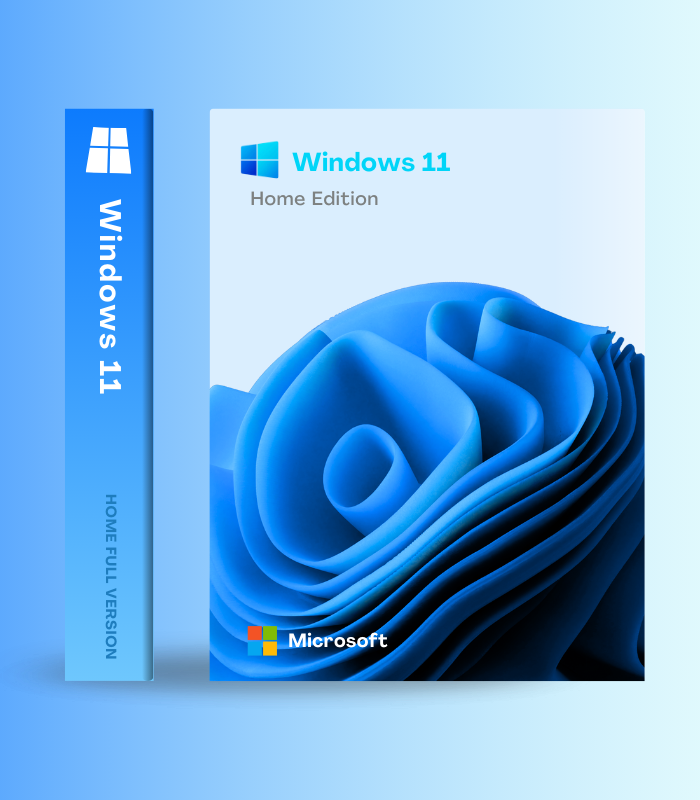
Activate Windows 11 Home with a lifetime digital license key. Enjoy a modern, secure operating system with a refreshed design, improved performance, and built-in security features. Instant digital delivery ensures quick and hassle-free activation.

Activate Windows 11 Home with a lifetime digital license key. Enjoy a modern, secure operating system with a refreshed design, improved performance, and built-in security features. Instant digital delivery ensures quick and hassle-free activation.
$28.99

Instant online access after purchase. No shipping required.

Available online anytime to assist you.
100% authentic and original license keys.
Payment Methods:

Windows 11 Home – Digital License Key | Lifetime Activation is Microsoft’s modern operating system designed for the future of productivity, creativity, and gaming with a beautiful redesigned interface, powerful AI features including Copilot integration, and enhanced performance optimized for today’s hardware. Experience the centered Start menu with cloud-powered recommendations, Snap Layouts for effortless multitasking, Widgets for personalized information at a glance, enhanced Microsoft Teams integration, superior gaming with DirectStorage and Auto HDR, plus continuous 2025 feature updates including the new customizable Start menu, Quick Machine Recovery, improved File Explorer with dark mode, battery percentage display, and Windows Studio Effects. This lifetime digital license activates instantly with genuine Microsoft authentication, includes all future security and feature updates, and delivers the next-generation Windows experience for modern PCs with TPM 2.0 and UEFI support.
| Feature | What it does | Perfect for |
|---|---|---|
| Redesigned Modern Interface | Beautiful centered Start menu with new customizable layouts (2025 update), rounded corners throughout, translucent Mica materials, updated iconography, refreshed color palette, and cohesive Fluent Design System creating an effortless, calm, and personal experience | Modern aesthetics, improved visual clarity, intuitive navigation |
| Copilot AI Assistant | Built-in AI assistant helps you write, create, search, and get things done with natural language commands – summarize documents, generate images, answer questions, adjust settings, and automate tasks without leaving your workflow | Productivity boost, creative assistance, quick answers, automation |
| Snap Layouts & Snap Groups | Revolutionary multitasking with instant window arrangements – hover over maximize button to choose from 6 pre-configured layouts, groups remember your arrangements, and everything stays organized across multiple monitors with persistent positioning | Multitasking, productivity workflows, managing multiple apps |
| Enhanced Gaming Performance | DirectStorage reduces load times by up to 40%, Auto HDR brings high-dynamic-range visuals to 1,000+ games, Game Mode optimizes resources, Xbox Game Pass integration, and Xbox Full Screen Experience for handheld gaming devices (2025) | PC gaming, faster load times, better graphics, Xbox integration |
| Widgets & Personalization | Glanceable widget panel shows personalized news, weather, calendar, photos, to-do lists, and live information without opening apps – 2025 updates include redesigned interface, customizable Lock Screen widgets, and enhanced settings integration | Quick information access, staying informed, personalized dashboard |
| 2025 Feature Updates | Quick Machine Recovery auto-fixes boot failures, new customizable Start menu layouts, improved File Explorer with dark mode and AI actions, battery percentage display, Windows Studio Effects (background blur, eye contact, voice focus), Phone Link for Android/iOS integration | Latest features, reliability, modern conveniences, seamless phone integration |
Windows 11 Home delivers a modern, intuitive operating system optimized for productivity, creativity, and entertainment. With continuous 2025 feature updates, Copilot AI integration, and beautiful design, it’s Windows reimagined for today’s needs.
| 💻 System Requirements | 1 GHz dual-core 64-bit processor | 4 GB RAM | 64 GB storage | UEFI firmware | TPM 2.0 | DirectX 12 compatible graphics |
| 🖥️ Display | 720p (1280 x 720) minimum resolution | 9″ diagonal screen size minimum |
| 🔧 Architecture | 64-bit (x64) only | ARM64 support for ARM-based PCs |
| 🔒 Security Requirements | TPM 2.0 (Trusted Platform Module) | UEFI Secure Boot | Virtualization-Based Security (VBS) enabled |
| 🛡️ Core Features | Windows Defender Antivirus, Windows Hello biometric login, Device Encryption, Secure Boot, Windows Firewall |
| 🤖 AI Features | Copilot (all devices) | Windows Recall, Click to Do, Windows Studio Effects (Copilot+ PCs with NPU 40+ TOPS only) |
| 🎮 Gaming Features | DirectStorage, Auto HDR, Game Mode, Xbox Game Bar, Xbox Game Pass integration, Xbox Full Screen Experience |
| 📅 Support | 24 months support per feature update (Home/Pro) | Continuous security and feature updates |
| 🔄 Updates | Monthly cumulative updates with new features | Annual feature updates (24H2, 25H2, etc.) |
| 🌐 Internet & Account | Internet connection required for setup | Microsoft account required for Windows 11 Home first-time setup |
| 🔧 Activation | Digital license key | Genuine Microsoft activation | Lifetime ownership |
| 📱 Device License | Single device license | Tied to hardware after activation |
| 🌍 Language Support | Multilingual – download language packs for 100+ languages |
| 🌍 Regional Availability | Global digital key – works worldwide |
✅ Instant Digital Delivery – genuine Windows 11 Home license key sent immediately
✅ Modern Redesigned Interface – centered Start menu, rounded corners, Fluent Design System
✅ Copilot AI Assistant – built-in intelligence for writing, creating, searching, automating
✅ Snap Layouts & Groups – revolutionary multitasking with 6 window arrangements
✅ Enhanced Gaming – DirectStorage, Auto HDR, Game Mode, Xbox integration
✅ Widgets Dashboard – personalized news, weather, calendar, photos at a glance
✅ Microsoft Teams Integration – video calls, chat, collaboration built into taskbar
✅ Phone Link – seamless Android/iOS integration for calls, messages, photos
✅ Windows Defender – comprehensive antivirus and malware protection
✅ Windows Hello – biometric login with fingerprint or facial recognition
✅ 2025 Feature Updates – Quick Machine Recovery, new Start menu, File Explorer improvements
✅ DirectX 12 Ultimate – cutting-edge graphics for gaming and creative applications
✅ Continuous Updates – monthly feature additions and security patches
✅ Lifetime Activation – genuine Microsoft license, permanent ownership
✅ Global License – works anywhere in the world
After activating Windows 11 Home, take advantage of the new customizable Start menu (2025 update) by right-clicking the Start button and choosing your preferred layout – whether you want more pinned apps or the traditional all-apps list. Master Snap Layouts by hovering over any window’s maximize button and selecting from 6 pre-configured arrangements for instant productivity boosts. Enable Copilot from the taskbar and experiment with natural language commands like “summarize my recent documents” or “help me organize these files by project.” For gamers, ensure DirectStorage is enabled in Settings > Gaming for dramatically reduced load times, and turn on Auto HDR to enhance older games with high-dynamic-range visuals. Customize your Widgets panel by clicking the widget icon and adding tiles for weather, news, calendar, photos, and to-do lists tailored to your interests. Set up Phone Link to connect your Android or iOS device for seamless access to messages, calls, and photos without picking up your phone. Finally, explore the new File Explorer AI actions (right-click on files) and dark mode improvements that make Windows 11 more beautiful and functional than ever.
Yes, this is a genuine Windows 11 Home digital license key that activates through Microsoft’s official activation servers. Once activated, your copy is permanently licensed and receives all security and feature updates including the continuous 2025 improvements.
Windows 11 requires a 64-bit processor (1 GHz dual-core), 4 GB RAM, 64 GB storage, TPM 2.0, and UEFI firmware. Most PCs manufactured after 2018 meet these requirements. Download Microsoft’s PC Health Check tool from their website to verify compatibility before purchasing.
Windows 11 Home includes all core features like Copilot, Snap Layouts, gaming enhancements, and the modern interface. Windows 11 Pro adds business features like BitLocker encryption, Remote Desktop Protocol (host), domain joining, Hyper-V virtualization, and Group Policy management – essential for businesses but unnecessary for most home users.
Yes! If your PC meets Windows 11’s hardware requirements (TPM 2.0, UEFI, compatible processor), you can use this license key to upgrade from Windows 10 Home to Windows 11 Home while keeping all your files, programs, and settings intact through the Windows Update upgrade process.
Yes, Windows 11 Home requires a Microsoft account and internet connection during initial setup. This enables cloud features like OneDrive sync, Microsoft Store access, and cross-device settings synchronization. You can create a free Microsoft account during installation if you don’t have one.
Basic Copilot AI features (chat, document summaries, image generation) work on all Windows 11 devices. Advanced Copilot+ features like Windows Recall (photographic memory), Click to Do (AI actions), and Windows Studio Effects (background blur, eye contact) require specific hardware with a Neural Processing Unit (NPU) capable of 40+ TOPS – found in newer laptops with Qualcomm Snapdragon X, Intel Core Ultra, or AMD Ryzen AI processors.
Windows 11 features a completely redesigned interface with centered Start menu, Snap Layouts for better multitasking, Widgets for personalized information, integrated Copilot AI, superior gaming with DirectStorage and Auto HDR, improved Microsoft Teams integration, and continuous feature updates adding capabilities like Quick Machine Recovery and enhanced File Explorer that Windows 10 will never receive.
Windows 11 Home represents Microsoft’s vision for the future of personal computing – a beautiful, intelligent, and intuitive operating system designed for modern productivity, creativity, and entertainment. With the redesigned interface featuring centered Start menu and Fluent Design, Copilot AI assistant providing intelligent help with every task, Snap Layouts revolutionizing multitasking, DirectStorage and Auto HDR delivering superior gaming performance, Widgets offering personalized information at a glance, and continuous 2025 feature updates including Quick Machine Recovery and customizable Start layouts, Windows 11 delivers the most advanced Windows experience ever created. This lifetime digital license activates instantly with genuine Microsoft authentication, includes all future security and feature updates, and ensures your PC stays modern, secure, and capable for years to come. One purchase, permanent activation, the next generation of Windows.
 Optimized by Seraphinite Accelerator
Reviews
Clear filtersThere are no reviews yet.