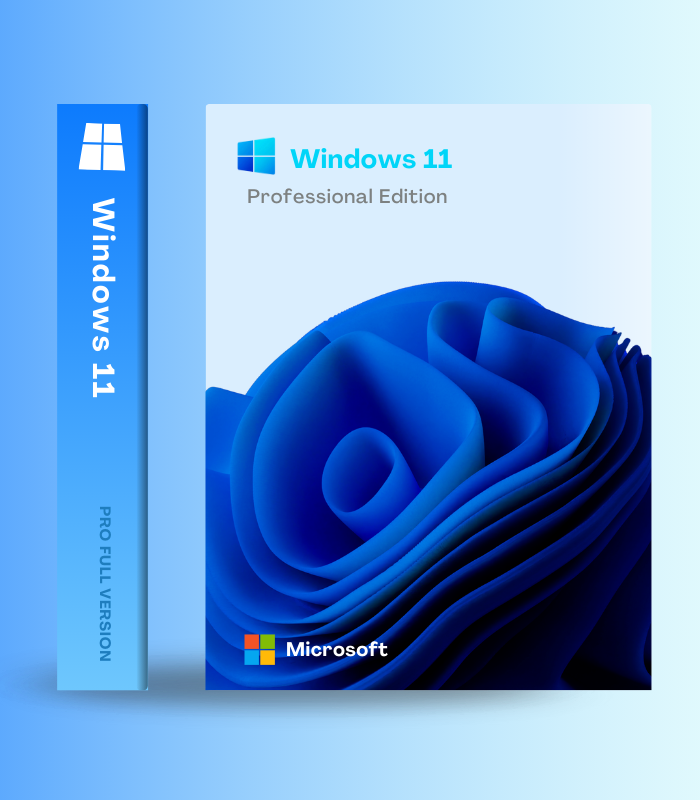
Windows 11 Professional – Digital License Key | Lifetime Activation is Microsoft’s enterprise-grade operating system combining the modern, AI-powered Windows 11 experience with advanced business features unavailable in Windows 11 Home. Protect sensitive data with BitLocker full-disk encryption, access your PC remotely from anywhere with Remote Desktop Protocol, join corporate domains and Azure Active Directory, run virtual machines with Hyper-V, enforce security policies with Group Policy management, and deploy Copilot AI across your organization – all while enjoying the beautiful redesigned interface, Snap Layouts multitasking, DirectStorage gaming enhancements, and continuous 2025 feature updates. Trusted by businesses worldwide, this lifetime digital license delivers genuine Microsoft authentication, includes all future security and feature updates, and ensures your professional workflows stay secure, efficient, and compliant with enterprise requirements.
💼 What’s Inside
| Feature | What it does | Perfect for |
| BitLocker Drive Encryption | Military-grade AES-256 full-disk encryption protects entire drives including external USB devices with BitLocker To Go – if your device is stolen, thieves cannot access your business data, client files, financial records, or sensitive information even with physical access to the hardware | Data protection, preventing theft, business compliance, mobile professionals |
| Remote Desktop Protocol (RDP) | Full remote access to your Windows 11 Pro PC from anywhere using another computer, tablet, or smartphone – work on files, run programs, and control your desktop as if sitting at your desk with complete functionality and bank-grade encryption | Remote work, hybrid teams, accessing office PC from home, IT support |
| Domain & Azure AD Join | Seamlessly integrate with corporate Windows Server domains or Microsoft Azure Active Directory for centralized authentication, enterprise single sign-on, network resource access, and IT policy enforcement – essential for business networks requiring professional editions | Corporate environments, enterprise IT, business networks, Microsoft 365 integration |
| Hyper-V Virtualization | Built-in enterprise virtualization runs multiple operating systems simultaneously – test software in isolated environments, develop cross-platform applications, run legacy systems, experiment with Linux distributions, all without dual-booting or additional hardware | Developers, IT testing, software compatibility, running legacy applications |
| Group Policy & Windows Autopilot | Advanced administrative control enforces security configurations, manages updates, restricts software, and deploys policies across devices – Windows Autopilot automates device deployment with cloud-based provisioning, delivering 25% faster setup for IT departments | IT administrators, managing multiple devices, security enforcement, device deployment |
| Modern Windows 11 Experience | All Windows 11 features including Copilot AI assistant, redesigned interface with centered Start menu, Snap Layouts multitasking, Widgets dashboard, DirectStorage gaming, Auto HDR, Microsoft Teams integration, Phone Link, plus continuous 2025 updates with Quick Machine Recovery and customizable Start | Productivity, multitasking, AI assistance, gaming, modern workflows |
Windows 11 Professional combines cutting-edge Windows 11 features with enterprise-grade security and management capabilities. From small business owners to enterprise IT, Windows 11 Pro delivers the control, protection, and flexibility professionals demand.
🎯 Why Professionals Choose Windows 11 Pro
💡 Key Benefits
- Enterprise security – BitLocker encryption, domain joining, Group Policy unavailable in Home
- Modern AI productivity – Copilot assistant plus professional management tools
- Remote access – full Remote Desktop Protocol for working from anywhere
- Business compliance – meets regulatory requirements for data protection and audit trails
- Lifetime activation – genuine Microsoft license with all future updates included
🎨 Best Use Cases
- Small business owners and entrepreneurs handling sensitive data
- Professionals joining corporate domains and Azure AD networks
- Remote workers requiring secure access to office PCs
- Developers and IT pros running virtual machines with Hyper-V
- Anyone needing BitLocker encryption Windows 11 Home lacks
✨ Highlight Feature: Enterprise Security Meets Modern AI Productivity
What sets Windows 11 Professional apart is the unique combination of cutting-edge Windows 11 features with enterprise-grade security that Windows 11 Home cannot provide. You get the beautiful modern interface with Copilot AI helping write documents, generate images, answer questions, and automate tasks – plus Snap Layouts for effortless multitasking, DirectStorage for 40% faster game loading, Auto HDR, Widgets, and continuous 2025 feature updates including Quick Machine Recovery and the customizable Start menu. But critically, Windows 11 Pro adds BitLocker encryption protecting your entire drive with military-grade AES-256 security – if your laptop is stolen, thieves cannot access your data even with physical hardware access. Remote Desktop Protocol lets you fully control your office PC from home, traveling, or anywhere with complete functionality. Domain and Azure AD joining integrates seamlessly with corporate networks for single sign-on and centralized IT management. Hyper-V virtualization enables developers to run multiple operating systems simultaneously for testing and development. Group Policy gives IT administrators granular control over security settings, update policies, and software restrictions. For businesses, freelancers, entrepreneurs, therapists, accountants, lawyers, or anyone handling sensitive information – Windows 11 Pro delivers modern productivity enhanced by AI while maintaining the enterprise security and management capabilities that protect your business, ensure compliance, and prevent catastrophic data breaches.
📋 Technical Specifications
| 💻 System Requirements | 1 GHz dual-core 64-bit processor | 4 GB RAM | 64 GB storage | UEFI firmware | TPM 2.0 | DirectX 12 compatible graphics |
| 🖥️ Display | 720p (1280 x 720) minimum resolution | 9″ diagonal screen size minimum |
| 🔒 Pro-Exclusive Features | BitLocker & BitLocker To Go, Remote Desktop (host), Domain Join, Azure AD Join, Group Policy, Hyper-V, Windows Information Protection, Assigned Access, Update for Business, Windows Autopilot |
| 🛡️ Security Features | Windows Defender, Windows Hello biometric login, Device Encryption, Secure Boot, VBS (Virtualization-Based Security), Windows Firewall, TPM 2.0 hardware security |
| 🤖 Windows 11 Features | Copilot AI, redesigned interface, Snap Layouts, Widgets, DirectStorage, Auto HDR, Microsoft Teams, Phone Link, 2025 updates (Quick Recovery, new Start menu) |
| 📅 Support | 24 months support per feature update (Pro) | 36 months for Enterprise | Continuous security and feature updates |
| 🔄 Updates | Monthly cumulative updates | Annual feature updates (24H2, 25H2) | Pro users can defer updates with Update for Business |
| 🌐 Network Support | Internet connection required for setup | Microsoft account or domain credentials for first-time setup |
| 🔧 Activation | Digital license key | Genuine Microsoft activation | Lifetime ownership |
| 📱 Device License | Single device license | Tied to hardware after activation |
| 🌍 Language Support | Multilingual – download language packs for 100+ languages |
| 🌍 Regional Availability | Global digital key – works worldwide |
🚀 What You Get Right Now
✅ Instant Digital Delivery – genuine Windows 11 Pro license key sent immediately
✅ BitLocker Encryption – military-grade full-disk protection for all drives and USB devices
✅ Remote Desktop Protocol – full remote access to your PC from anywhere
✅ Domain & Azure AD Join – integrate with corporate and cloud-based networks
✅ Hyper-V Virtualization – run multiple operating systems simultaneously
✅ Group Policy Management – advanced administrative control and security enforcement
✅ Windows Autopilot – 25% faster cloud-based device deployment
✅ Copilot AI Assistant – built-in intelligence for writing, creating, automating
✅ Modern Windows 11 Interface – centered Start menu, Snap Layouts, Widgets dashboard
✅ Enhanced Gaming – DirectStorage, Auto HDR, Game Mode, Xbox integration
✅ 2025 Feature Updates – Quick Machine Recovery, customizable Start menu, File Explorer improvements
✅ Windows Information Protection – prevent accidental data leaks and unauthorized sharing
✅ Update for Business – defer feature updates, control deployment schedules
✅ Continuous Updates – monthly security patches and feature additions
✅ Lifetime Activation – genuine Microsoft license, permanent ownership
✅ Global License – works anywhere in the world
💡 Pro Tip
After activating Windows 11 Pro, immediately enable BitLocker on your system drive by searching “Manage BitLocker” in Settings – this critical security feature takes 10 minutes but protects against catastrophic data loss if your device is stolen. Set up Remote Desktop by enabling it in System > Remote Desktop, then configure port forwarding in your router if accessing from external networks (use VPN for security). For business integration, use Settings > Accounts > Access work or school to join your company’s domain or Azure AD for single sign-on and centralized management. Developers should enable Hyper-V through Windows Features to run virtual machines for testing. IT administrators can use Group Policy Editor (gpedit.msc) to defer feature updates with Update for Business, preventing disruptive upgrades during critical work periods while maintaining security patches. Take advantage of Windows Autopilot for deploying new devices with cloud-based provisioning that’s 25% faster than traditional imaging. Finally, explore Copilot AI by pressing Windows+C and experimenting with commands like “summarize this document” or “help me organize my files” to boost productivity with AI assistance.
❓ FAQ
Is this a genuine Microsoft license?
Yes, this is a genuine Windows 11 Professional digital license key that activates through Microsoft’s official servers. Once activated, your copy is permanently licensed and receives all security and feature updates including continuous 2025 improvements like Quick Machine Recovery and the customizable Start menu.
What’s the difference between Windows 11 Home and Windows 11 Pro?
Windows 11 Pro includes all Home features (Copilot AI, modern interface, Snap Layouts, gaming enhancements) PLUS critical business capabilities Home lacks: BitLocker encryption, Remote Desktop Protocol (host), domain and Azure AD joining, Hyper-V virtualization, Group Policy management, Windows Information Protection, Assigned Access, and Update for Business. These enterprise features justify the upgrade for anyone handling sensitive data or needing professional tools.
Can I upgrade from Windows 11 Home to Windows 11 Pro with this key?
Yes! Use this license key to upgrade Windows 11 Home to Windows 11 Pro seamlessly. Go to Settings > System > Activation > Change product key, enter your Pro key, and Windows upgrades to Professional edition while keeping all files, programs, and settings intact – no reinstallation required.
Will my PC run Windows 11 Pro?
Windows 11 Pro has the same requirements as Home: 64-bit processor (1 GHz dual-core), 4 GB RAM, 64 GB storage, TPM 2.0, and UEFI firmware. Most PCs manufactured after 2018 meet these requirements. Download Microsoft’s PC Health Check tool to verify compatibility before purchasing.
Why do I need BitLocker if Windows 11 has Device Encryption?
Device Encryption (available in Home) only works on specific hardware meeting strict requirements and provides basic protection. BitLocker (Pro exclusive) works on virtually all compatible PCs, offers advanced features like BitLocker To Go for USB drives, PIN protection, multi-factor authentication, recovery key options, and enterprise management through Group Policy – providing comprehensive protection Windows 11 Home cannot match.
Can I use Remote Desktop to access my PC from my phone?
Yes! Windows 11 Pro’s Remote Desktop Protocol works with Microsoft Remote Desktop apps available for iOS, Android, macOS, and other Windows devices. Download the app, connect using your PC’s address, and control your Windows 11 Pro computer with full functionality from anywhere with internet access.
Does Windows 11 Pro require a Microsoft account?
Windows 11 Pro offers flexibility: you can use either a Microsoft account OR a domain account during setup (unlike Home which requires Microsoft accounts). If joining a corporate domain or Azure AD, you’ll use your business credentials instead of personal Microsoft accounts.
🏁 Final Word
Windows 11 Professional delivers the perfect fusion of modern AI-powered productivity and enterprise-grade security essential for businesses, professionals, and anyone handling sensitive information. With BitLocker encryption protecting against data theft, Remote Desktop enabling work from anywhere, domain and Azure AD integration for corporate networks, Hyper-V virtualization for developers, Group Policy management for IT control, plus all cutting-edge Windows 11 features including Copilot AI assistant, beautiful redesigned interface, Snap Layouts multitasking, DirectStorage gaming, and continuous 2025 feature updates – Windows 11 Pro ensures your workflows stay secure, efficient, and compliant. This lifetime digital license activates instantly with genuine Microsoft authentication, includes all future security and feature updates, and delivers the most secure, intelligent, and capable Windows experience for professionals who demand more than consumer-grade features. One purchase, permanent activation, enterprise capabilities that protect and empower your business.
















Reviews
Clear filtersThere are no reviews yet.