












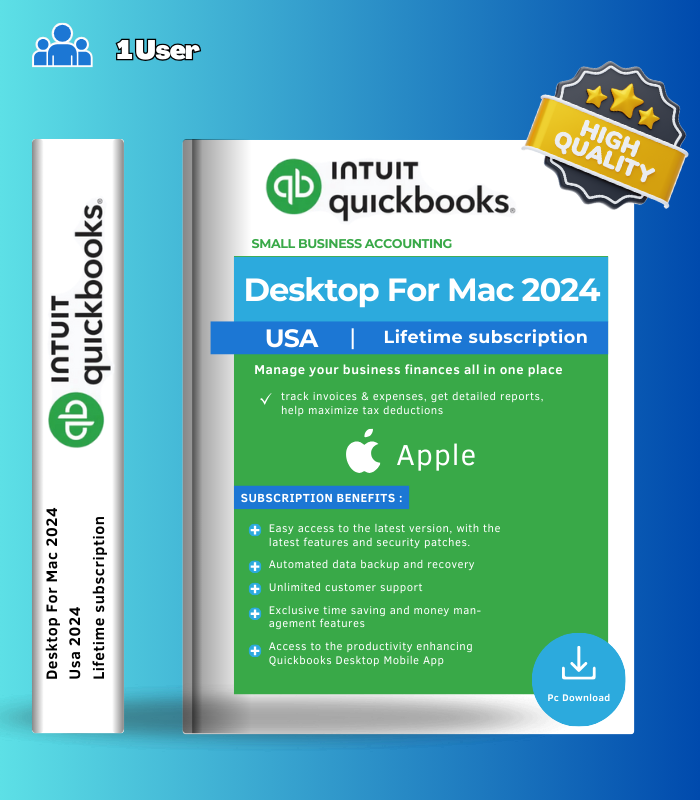



QuickBooks Desktop for Mac 2024 – 1 User – Lifetime License Key is the native accounting solution built specifically for Apple users who want powerful financial management without leaving the Mac ecosystem. Unlike QuickBooks Online or Windows-based Desktop editions, QuickBooks for Mac is a true native application that takes full advantage of macOS capabilities, delivering invoicing, expense tracking, payroll integration, and comprehensive reporting in an interface designed for Mac users. With AES-256-bit encryption, improved report customization, and seamless integration with Apple Mail and Numbers, this is the complete desktop accounting package for freelancers, solopreneurs, and small businesses running exclusively on macOS.
💼 What’s Inside
| Feature | What it does | Perfect for |
|---|---|---|
| Native Mac Accounting Engine | Full-featured double-entry accounting system built natively for macOS with no need for Windows emulation via Parallels or Boot Camp – takes complete advantage of Apple ecosystem including iCloud storage and Touch ID support on compatible hardware | Mac-exclusive businesses, avoiding cross-platform complexity |
| Invoicing & Expense Tracking | Create professional invoices, automatically categorize transactions, reconcile bank accounts, and track expenses with intelligent categorization that eliminates hours of manual bookkeeping work | Freelancers, service businesses, expense management |
| Enhanced Reporting Suite | Access improved report customization with 12 new Ship To and Name address columns and filters, plus the new Sales by Ship To Address report for location-based sales insights across your customer base | Financial analysis, location-based sales tracking, business insights |
| AES-256 Data Encryption | Enterprise-grade Advanced Encryption Standard protects your sensitive financial data with 256-bit encryption, ensuring bank information, customer data, and transaction history stay secure | Data security, protecting sensitive financial records |
| Inventory & Payroll Integration | Track inventory levels for products and services, integrate payroll processing directly into your accounting workflow, and manage vendor/customer relationships all within one unified system | Retail businesses, service companies with employees, inventory management |
| Apple Ecosystem Integration | Export reports directly to Apple Numbers, email invoices and forms as PDF through Apple Mail, and sync seamlessly with iCloud storage for backup and multi-device access to your financial data | Mac-native workflows, seamless Apple software integration |
QuickBooks Desktop for Mac 2024 delivers essential business accounting tools tailored specifically for the Apple ecosystem, combining familiar QuickBooks reliability with native macOS performance and integration.
🎯 Why Mac Users Choose QuickBooks Desktop 2024
💡 Key Benefits
- Built exclusively for Mac – no Windows emulation or dual-boot required
- Intuitive interface – designed for macOS conventions and workflows
- Automatic categorization – saves hours on transaction sorting and reconciliation
- Bank-level security – AES-256 encryption protects financial data
- Lifetime access – one-time purchase for permanent software ownership
🎨 Best Use Cases
- Freelancers and solopreneurs managing income and expenses
- Small retail or service businesses tracking inventory
- Real estate professionals managing property finances
- Consultants and contractors invoicing clients
- Small teams needing basic payroll integration
✨ Highlight Feature: True Native Mac Experience
What sets QuickBooks Desktop for Mac 2024 apart from other accounting software is that it’s genuinely built for macOS from the ground up – not a Windows program running through compatibility layers. This means faster performance, interface elements that feel natural to Mac users, proper integration with macOS features like Touch ID and iCloud, and the reliability of native code rather than emulated software. Unlike QuickBooks Online, which requires constant internet connectivity and browser-based interaction, QuickBooks for Mac gives you the responsiveness and control of desktop software while still offering cloud backup options for peace of mind. You get the best of both worlds: the speed and reliability of local desktop software combined with modern security standards and Apple ecosystem integration. For Mac-based freelancers and small businesses who’ve grown tired of switching to Windows or fighting with browser-based accounting tools, this native experience makes daily bookkeeping tasks feel effortless rather than like a chore.
📋 Technical Specifications
| 💻 Platform | macOS only (Mac Desktop application) |
| 🖥️ OS Requirements | macOS 12.0 (Monterey) or later |
| ⚡ Processor | Intel or Apple Silicon (M1/M2/M3/M4) CPU hardware |
| 💾 RAM | 2 GB minimum (4 GB recommended for optimal performance) |
| 📀 Storage | 250 MB available storage for installation |
| 👥 Multi-User Support | Intel Core 2 Duo or higher required for multi-user server mode |
| 🖨️ Printing | Macintosh-compatible printer for invoices, checks, deposit slips, reports |
| 📊 Export Compatibility | Apple Numbers v12.0+ or Microsoft Excel 2016+ (including Microsoft 365) |
| 📧 Email Integration | Apple Mail or Microsoft Outlook 2016+ (including Microsoft 365) for PDF forms |
| 🔒 Data Security | AES-256-bit encryption for all company file data |
| 🔄 File Conversion | One-way conversion to QuickBooks Online | Import from QuickBooks Desktop for Windows 2021/2023 |
| 🌐 Internet Connection | Required for activation, updates, and online features (banking sync, payroll) |
| 📱 Device License | 1 User license | Company file data owned permanently regardless of activation status |
| 🌍 Regional Availability | Global key – US version |
🚀 What You Get Right Now
✅ Instant Digital Delivery – license key and download link sent immediately
✅ QuickBooks Desktop for Mac 2024 – native macOS accounting application
✅ Invoicing & Expense Tracking – professional invoices with automatic categorization
✅ Enhanced Reporting – Sales by Ship To Address and expanded report customization
✅ AES-256 Encryption – bank-level security for all financial data
✅ Inventory Management – track products and services within your accounting system
✅ Payroll Integration – connect payroll processing directly to your books
✅ Apple Ecosystem Support – Numbers export, Apple Mail integration, iCloud compatible
✅ Multi-User Ready – supports up to 3 simultaneous users (additional licenses needed)
✅ Lifetime License – one-time purchase, permanent software ownership
✅ 1 User Access – single-user license for your business
💡 Pro Tip
When setting up QuickBooks Desktop for Mac 2024, start by connecting your bank accounts for automatic transaction import – this dramatically reduces manual data entry and improves categorization accuracy over time as the software learns your spending patterns. Set up your Chart of Accounts early based on how you want to view profit and loss (by category, by client, or by project) since restructuring later can be time-consuming. Use the new Sales by Ship To Address report if you sell to multiple locations to understand regional performance. Enable automatic backups to iCloud or an external drive to protect against data loss – accounting data is irreplaceable if something happens to your Mac. Export your reports to Apple Numbers regularly for additional analysis or to share formatted summaries with your accountant during tax season. Take advantage of the one-way conversion to QuickBooks Online if you ever need to transition to cloud-based access while traveling or working remotely.
❓ FAQ
Is this a lifetime license or subscription?
This is sold as a lifetime license – you receive a permanent license key for QuickBooks Desktop for Mac 2024. Your company file and financial data always remain yours to access, regardless of ongoing subscription status for online-connected features like live bank feeds or payroll processing.
How many users can access this license?
This license covers 1 user. QuickBooks for Mac supports up to 3 simultaneous users total in multi-user mode, but additional user licenses would need to be purchased separately if you want to add team members.
Can I use this without an internet connection?
Basic accounting functions like invoicing, expense tracking, and reporting work offline once installed. However, an internet connection is required for initial activation, software updates, live bank feed syncing, and any payroll or online payment processing features.
Does this work on Apple Silicon Macs (M1/M2/M3/M4)?
Yes! QuickBooks Desktop for Mac 2024 supports both Intel and Apple Silicon hardware, running natively on the latest Mac computers including MacBook Air, MacBook Pro, iMac, Mac mini, and Mac Studio with M-series chips.
Can I convert my data if I later want to switch to QuickBooks Online?
Yes! QuickBooks Desktop for Mac 2024 supports one-way conversion to QuickBooks Online, making it easy to transition to cloud-based access later if your business needs change or you want remote access from multiple devices.
What’s included in the inventory and payroll features?
The software includes basic inventory tracking for products and services (quantity on hand, reordering) and integrates with payroll processing services. Note that QuickBooks for Mac has simpler inventory tools compared to Enterprise editions – it doesn’t include advanced features like bin tracking, barcode scanning, or multi-location inventory management.
Will this work with my existing QuickBooks Windows file?
Yes, QuickBooks Desktop for Mac 2024 supports importing company files converted from QuickBooks Desktop for Windows 2021 and 2023 versions, making it possible to transition from Windows to Mac while keeping your financial history intact.
🏁 Final Word
QuickBooks Desktop for Mac 2024 is the accounting solution built specifically for Apple users who want reliable, native financial management without compromise. With intuitive invoicing, automatic transaction categorization, enhanced reporting tools, bank-level AES-256 encryption, and seamless integration with Apple Mail and Numbers, this software delivers everything freelancers, solopreneurs, and small businesses need to manage their finances efficiently. Whether you’re tracking expenses, managing inventory, processing payroll, or generating professional invoices, QuickBooks for Mac 2024 combines the reliability of desktop software with the native performance and design sensibilities Mac users expect. This lifetime license gives you permanent access to essential business accounting tools, tailored exclusively for the macOS ecosystem you already know and trust.

Reviews
Clear filtersThere are no reviews yet.